Text alerts
Oops I Did My Degree Seat Alerts
Oops I Did My Degree can text you when a class section you are watching opens, so you can register for it in WebReg before the seat is gone. Texts are optional and go only to people who opt in.
How to opt in
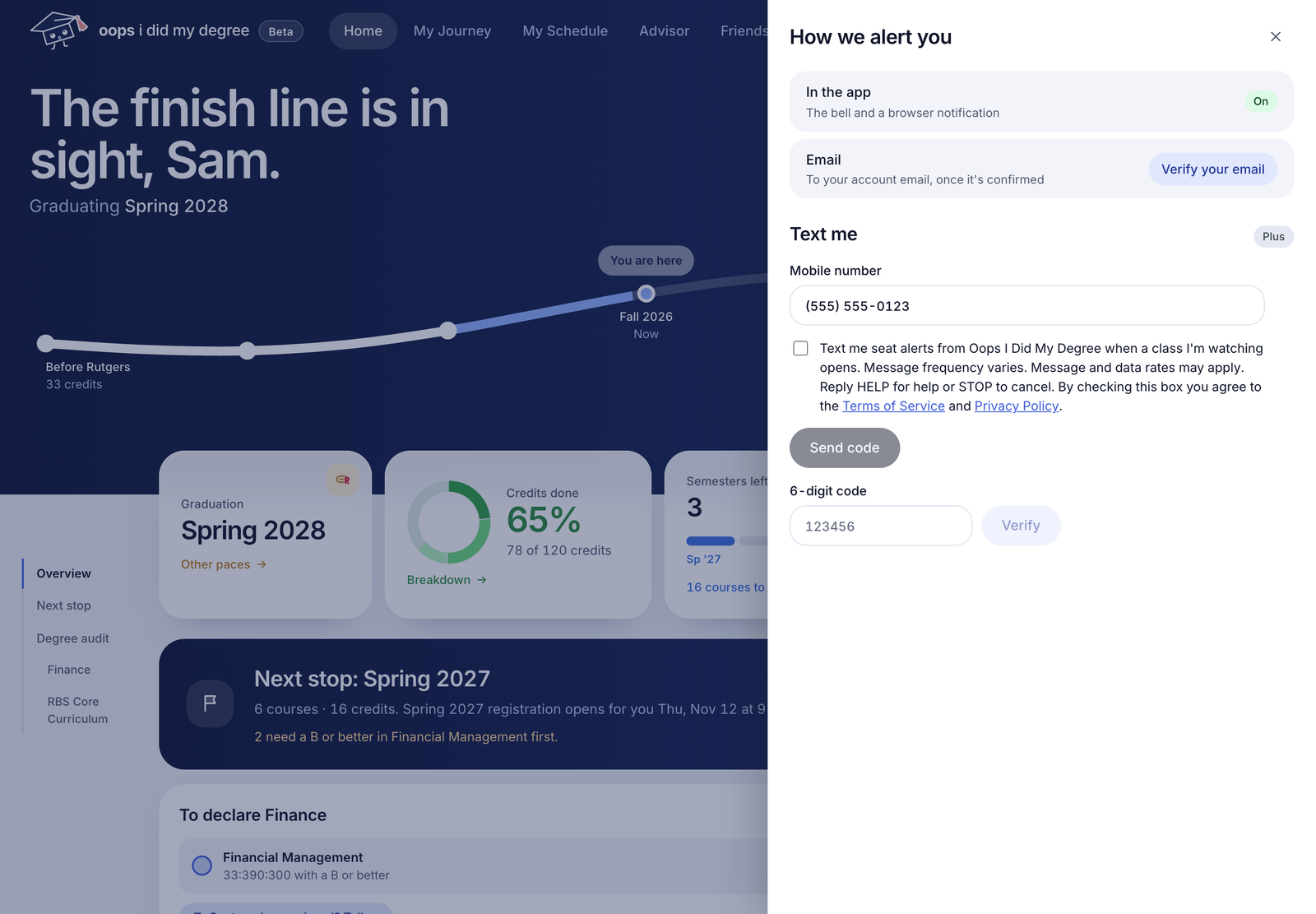
- Log in and open Seat alerts.
- Under How we alert you, choose Text me.
- Enter your US mobile number.
- Read the consent text and check the box. It is never checked for you.
- Enter the code we text you to verify your number.
What you agree to
The consent box reads:
Text me seat alerts from Oops I Did My Degree when a class I'm watching opens. Message frequency varies. Message and data rates may apply. Reply HELP for help or STOP to cancel. By checking this box you agree to the Terms of Service and Privacy Policy.
What you get
- A text when a class section you chose to watch opens.
- Verification and opt-in confirmation texts.
- Message frequency varies (up to 10 messages a day). Message and data rates may apply.
Stop or get help
Reply STOP to cancel. STOPALL, UNSUBSCRIBE, CANCEL, END and QUIT also work. Reply START to resubscribe. Reply HELP for help, or email support@oopsididmydegree.com.
Carriers are not liable for delayed or undelivered messages. Consent to receive texts is not a condition of any purchase. Text alerts are for US mobile numbers only. Texts never register you for classes.
Read the SMS Terms in our Terms of Service, and our Privacy Policy.